As a student studying in Karnataka, there is a fair chance you might have to do money support to continue your studies. The good news is that the Karnataka Government has created something called the State Scholarship Portal, or SSP, which is going to provide financial aid to SC, ST, OBC, minority students, and other eligible categories. You can apply online with your SSP Login.
In this article, I will explain everything in simple steps about how to log in to SSP, how to apply, what documents you need, and what common mistakes students usually make, which you can easily avoid. Whether you are studying in Class 6 or doing your degree, this is going to help you understand the process clearly.
SSP Pre-Matric vs. Post-Matric Scholarship
First, it is essential to understand the difference between pre-matric and post-matric scholarship applications. They both come under the same State Scholarship Portal, but the systems are slightly different, and the eligibility requirements are different, too.
Pre-Matric Scholarship
Designed for students studying from Class 1 to Class 10 in Karnataka.
- ✓ Groups: SC, ST, OBC, and Minority communities
- ✓ Income: Below ₹2.5 lakh (varies by category)
- ✓ Marks: At least 50% in previous exam
- ✓ Residency: Karnataka domicile required
Benefit Amount
₹1,000 to ₹7,000
Post-Matric Scholarship
For students in PUC, Diploma, ITI, Degree, or Professional courses after Class 10.
- ✓ Residents enrolled in recognized institutions
- ✓ SC Income: Below ₹2.5 lakh
- ✓ ST/OBC Income: ₹1 lakh to ₹2 lakh (varies)
- ✓ Academic performance requirements apply
Benefit Components
Fee Reimbursement + Allowance
Mandatory Documents Checklist
Keep these digital copies (PDF, under 500KB) ready for a smooth application:
| Document Category | Required Items |
|---|---|
| Personal | Aadhaar (Linked to Mobile), Email ID, Bank Passbook (Aadhaar Seeded) |
| Academic | SATS ID (Pre-Matric), SSLC Marks Card, Previous Year Marks Sheet, Fee Receipt |
| Certificates | Caste Certificate (RD Number), Income Certificate (Current FY), Domicile Proof |
| Special | FRUITS ID, Labour Card, UDID Card, NSP OTR Number |
| Hostel | Hostel Admission Receipt & Stay Certificate |
Final Reminder: The Income Certificate must be issued for the 2025-26 financial year. Ensure your name matches exactly across your Aadhaar, bank account, and academic records to avoid DBT payment failures.
SSP ID Login: Step-by-Step Process
After you get your SSP ID, use these steps to log in to the SSP portal:
For Post-Matric Students:
- Visit: Click here to Login Post-Matric Scholarship Portal
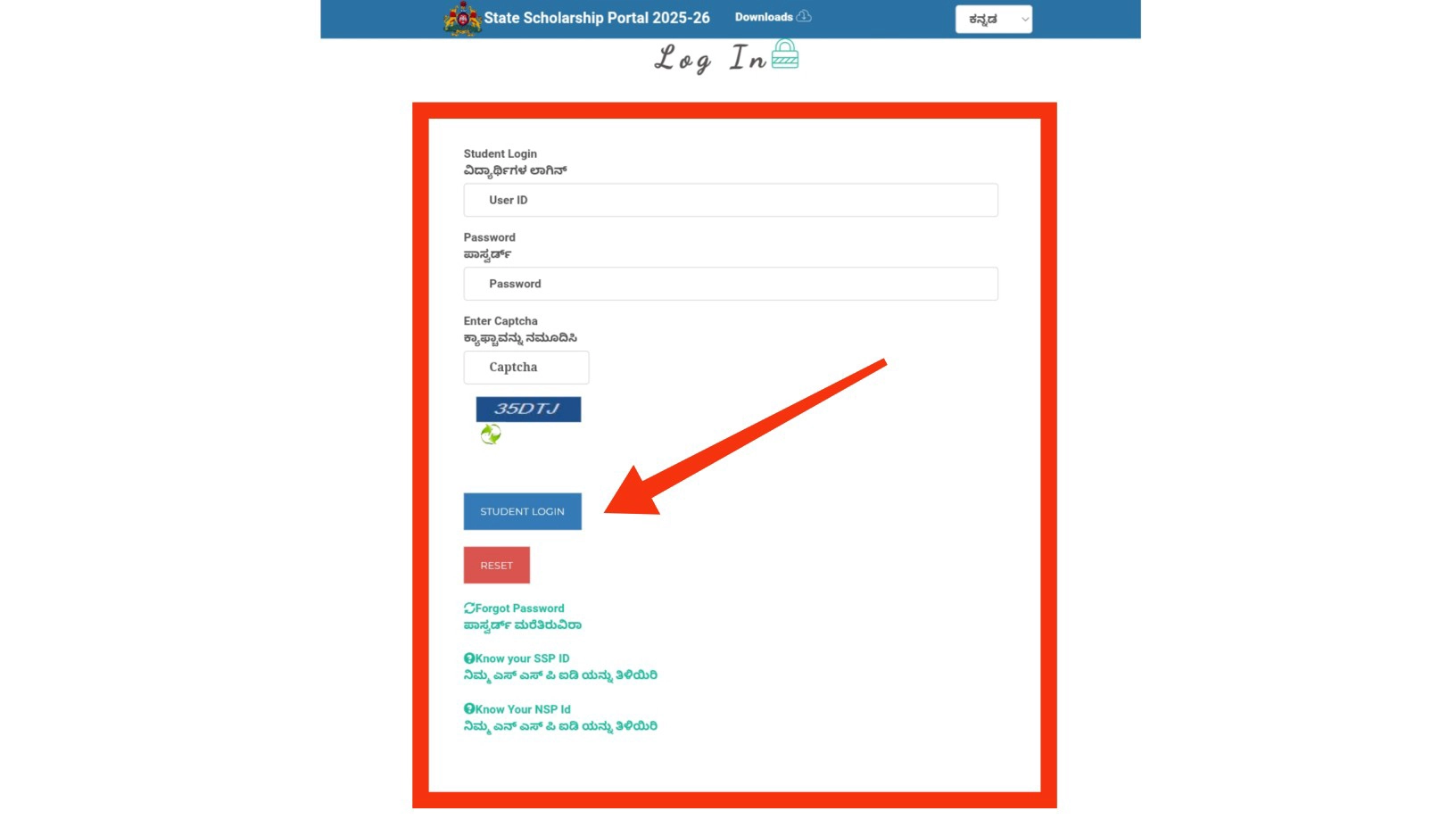
- Enter your SSP ID (User ID).
- Enter your Password.
- Enter the CAPTCHA code displayed.
- Click “Student Login” or “ವಿದ್ಯಾರ್ಥಿಗಳ ಲಾಗಿನ್.”
For Pre-Matric Students:
- Visit: Click here to Login Pre-Matric Scholarship Portal
- Repeat the steps above, using your Pre-Matric SSP ID and password.
- Use your Pre-Matric SSP ID and password to log in.
Important: Always use the official government portals. Avoid third-party websites that say they offer SSP login services.
How to Apply for SSP Scholarship 2025-26
After you create your account, log into SSP, and finish E-KYC, you can apply for the SSP scholarship. If you need E-Attestation, also complete that.
Application Process for Pre-Matric Students:
Step 1: Log in to the Pre-Matric Portal.
Step 2: Click “Apply for Pre-Matric Scholarship.”
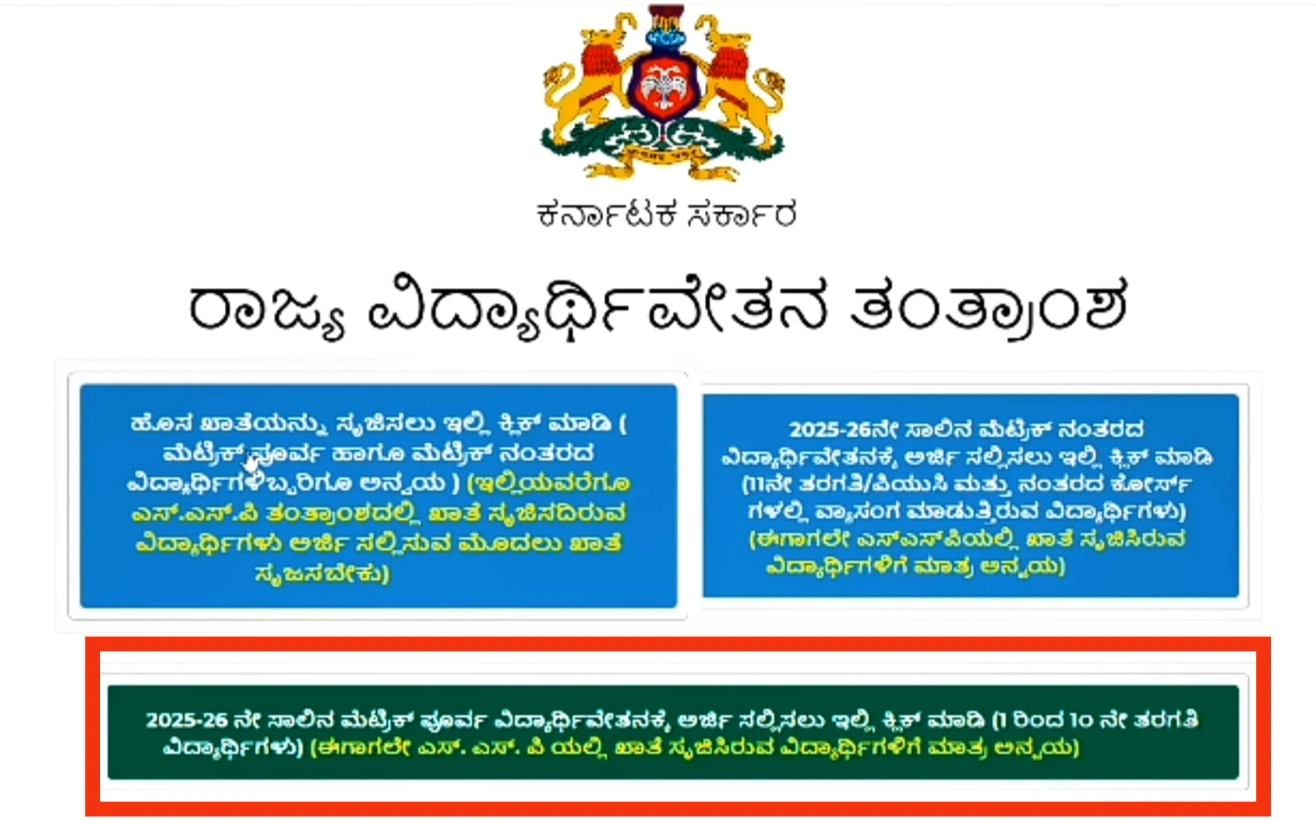
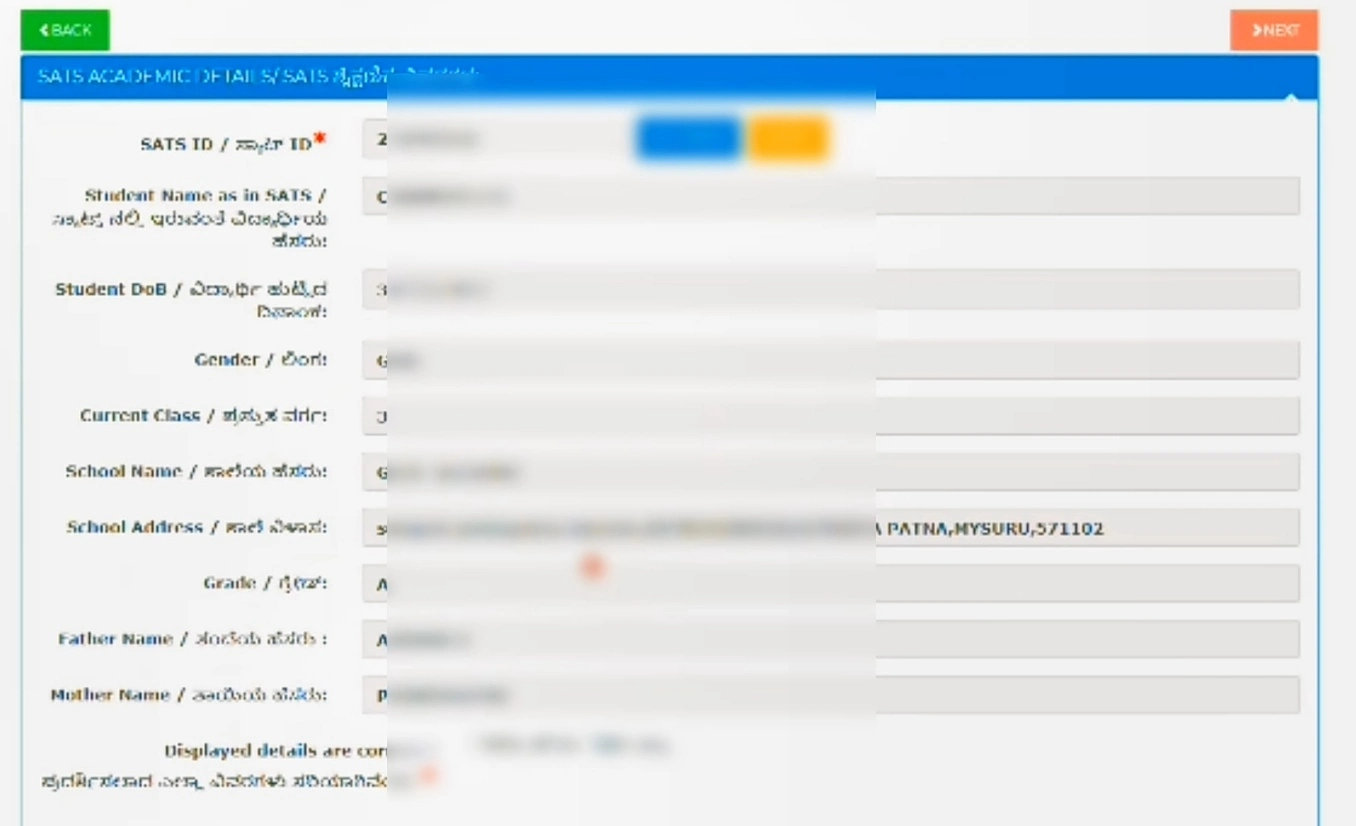
Step 3: Enter your SATS ID (Student Achievement Tracking System ID).
- Click “Get Data.”
- The system will auto-fetch your school details.

Step 4: Fill in Personal Details.
- Parent’s occupation.
- Religion and Caste category
- Caste Certificate RD Number
- Income Certificate RD Number
- Click “Check” to auto-verify certificates.
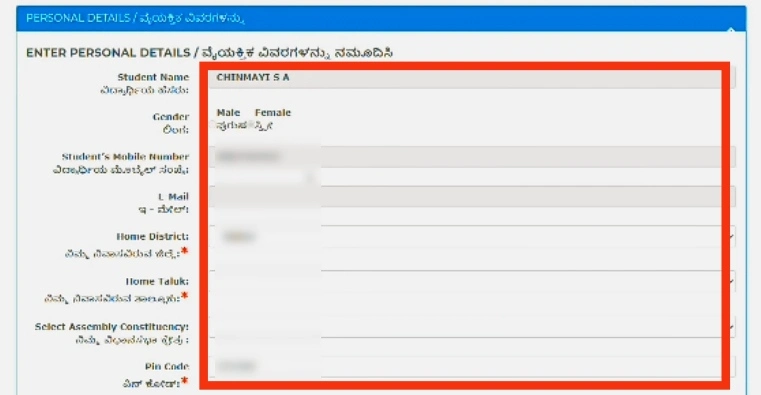
Step 5: Enter Address Details:
- District and Taluk
- PIN Code
- Permanent Address
- Confirm Karnataka domicile (Yes/No)
Step 6: Hostel Status:
- Select if you stay in a government hostel or are a day scholar.
- Enter distance from home to school (in km)
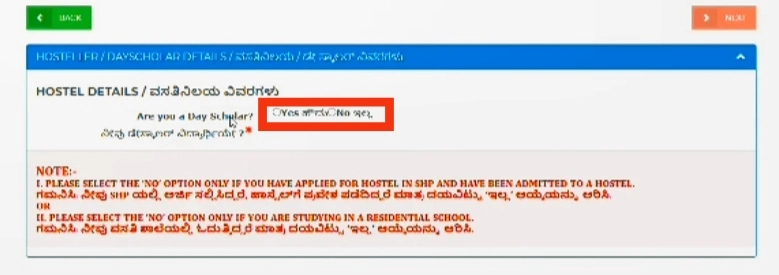
Step 7: Review all information.
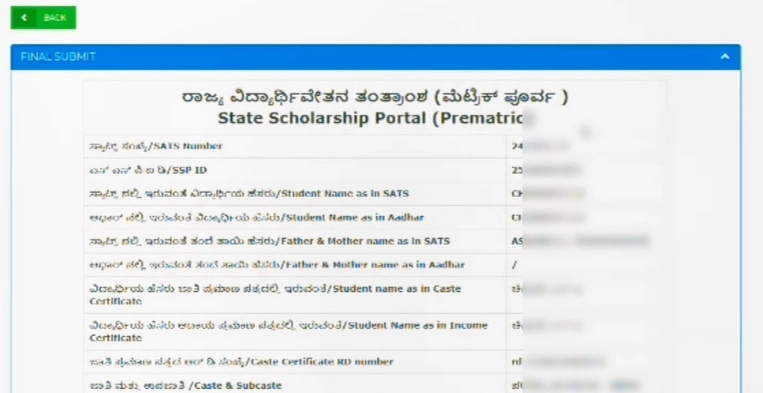
Step 8: Click “Final Submit.”
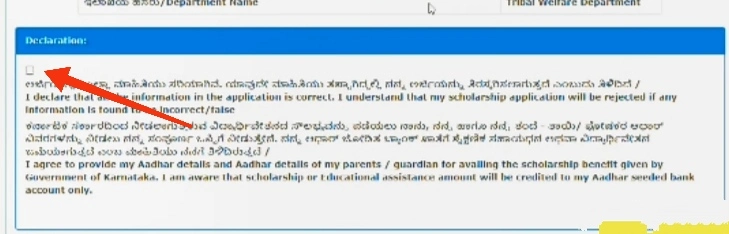
Step 9: Download and print the acknowledgment slip.
How to Apply for the Post-Matric Scholarship
Step 1: Log in to the Post-Matric Portal. Click here
Step 2: Click on “Apply for Post-Matric Scholarship.”
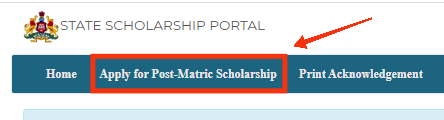
Step 3: Enter academic info.
- Enter your SSLC registration number and year.
- Click “Get Data” to verify your information.
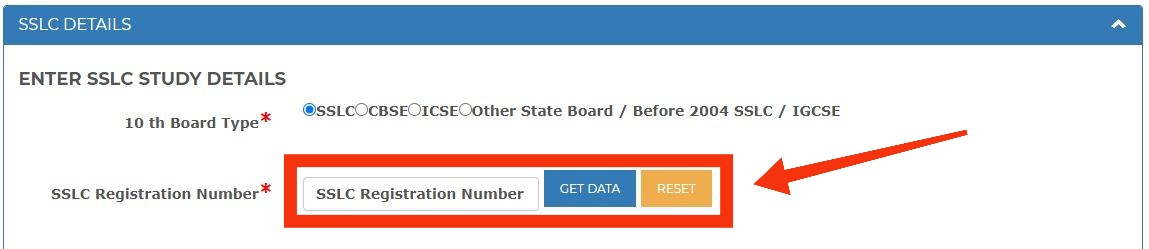
Fill in these special fields if they apply to you:
- FRUITS ID: Give your FRUITS ID only if you’re applying for the Agriculture Department scholarship (CM Raitha Vidya Nidhi). If not, leave it blank.
- Labor Registration Number: Only enter this if your parent is a registered construction worker. Leave it blank if not.
- UDID Number: Only fill this in if you are a student with a disability and have a UDID card. If not, leave it blank.
Step 4: Enter caste and income certificate details.
- Select your religion.
- Select your category (SC, ST, OBC, Minority, or General).
- Enter your caste certificate number.
- Enter your income certificate number.
- Click “Check” to automatically verify your certificates.
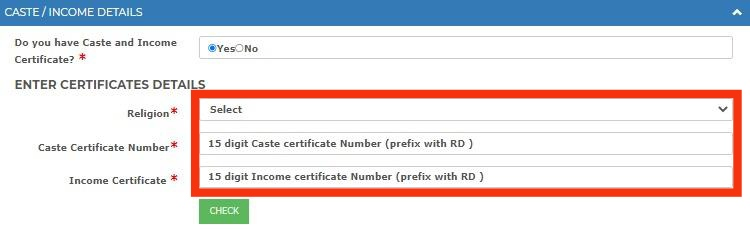
Important: Make sure the certificates are in your name, not your parent’s name.
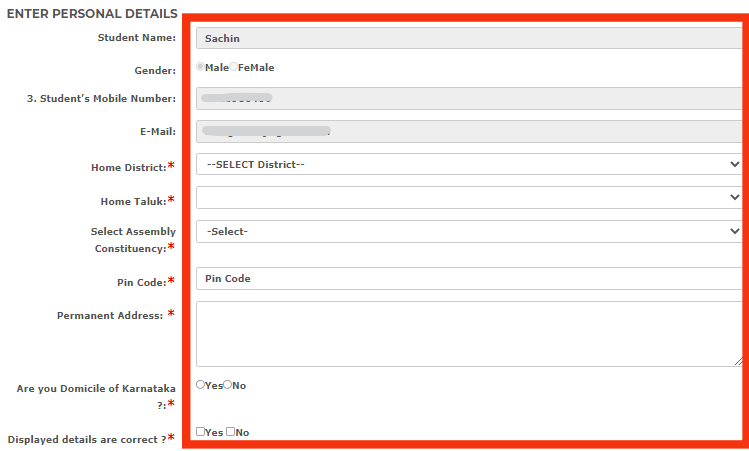
Step 5: Enter personal details.
- Name, gender, and Aadhaar number.
- Mobile number and email address.
- Home district, taluk, and PIN code.
- Permanent address.
- Distance from your home to your college.
- Confirm that you are a resident of Karnataka.
Step 6: Enter college and course info.
- Select whether you are studying outside Karnataka (Yes or No).
- University registration number.
- District, taluk, and university.
- College and course.
- Course discipline and year.
- Mode of admission (Counseling, Management, or Direct).
- Enter your year of admission.
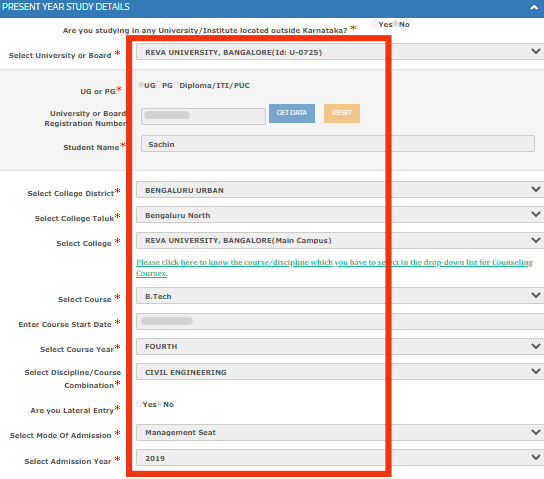
If you are a lateral entry student: select your lateral entry course from the dropdown menu. Enter details of your previous course.
Step 7: Enter your previous year’s academic details.
- Select your exam type (annual or semester).
- Marks or CGPA from the previous year.
- Details of your previous college.
- Number of years you have studied.
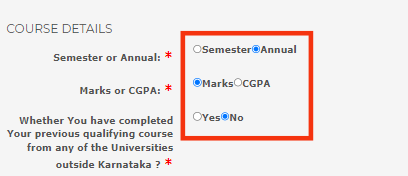
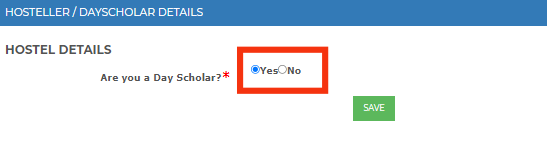
Step 8: Enter hostel and fee details.
- Select your hostel status (Yes or No, for government hostels only).
- Enter the amount of fees you have paid.
- Upload your fee receipt.
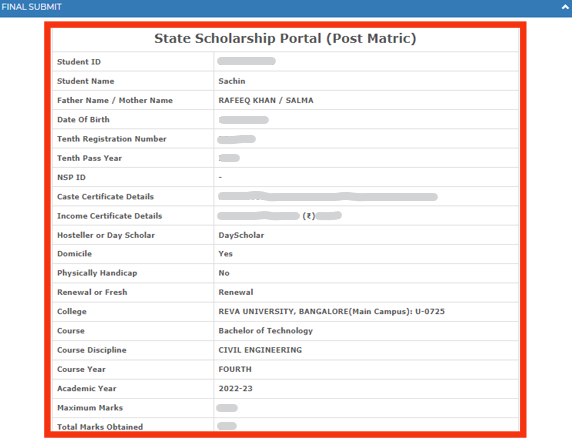
Step 9: Review your application.
- Carefully check all your details.
- Make sure your application is routed to the correct department.
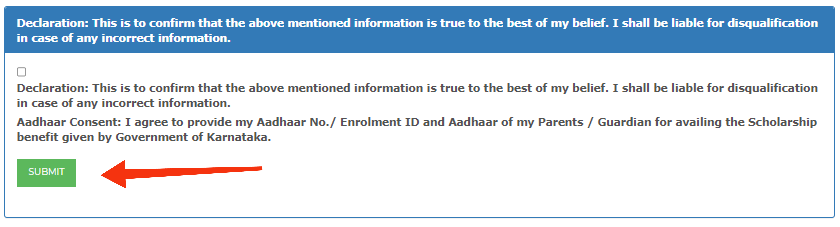
Step 10: Submit your application.
- Click the “Submit” button.
- Download your acknowledgment.
- Write down your application number for future reference.
Frequently Asked Questions (FAQ’s)
SSP login is used for the State Scholarship Portal. Students who want to apply for pre-matric or post-matric scholarships must create an SSP ID.
Yes, it is mandatory. The 14-digit enrollment id number can be used temporarily.
No. However, students studying outside Karnataka can apply. You just need to upload the documents.
This is a One-Time Registration number for SC, ST, and OBC post-matric applications.
Yes. If certificates are in the parent’s name, the application will be rejected.
No, it is not possible to edit the applications after submission.
Make sure you have the correct SSLC number. It will take 48 hours for the record to be updated once you submit the request.
No, the hostel allowance is only applicable for students staying in government hostels.
Leave a Reply