
Key Takeaways
Here are the essential steps and tips for successfully checking and managing your Odisha Scholarship Portal payment status:
- Check status using three methods: Application ID, Aadhaar number, or student login through scholarship.odisha.gov.in’s “Know Your Status” section
- Ensure Aadhaar-bank account linking: Most payment delays occur due to unlinked Aadhaar numbers – verify seeding status through your bank or NPCI platform
- Contact support immediately for issues: Use Sanjog Helpline (155335) or email scholarshiphed@gmail.com if status shows rejected or pending beyond 45 days
- Keep documents current and properly formatted: Upload PDF files under 400KB with 2024-25 income certificates to avoid automatic rejections
- Monitor status regularly: Payment typically arrives 15-45 days after sanction, but checking frequently helps identify and resolve issues quickly
You applied for your scholarship. Your application was approved.
Now, you are constantly checking your bank account, wondering when the money will finally arrive.
I get it. Waiting for your educational funds can be incredibly stressful. You need that money for tuition, books, and living expenses.
The good news is: you don’t have to guess.
The Odisha State Scholarship Portal gives you direct access to track your funds in real-time. You just need to know exactly where to look.
How to Check Odisha State Scholarship Portal Status Step-by-Step
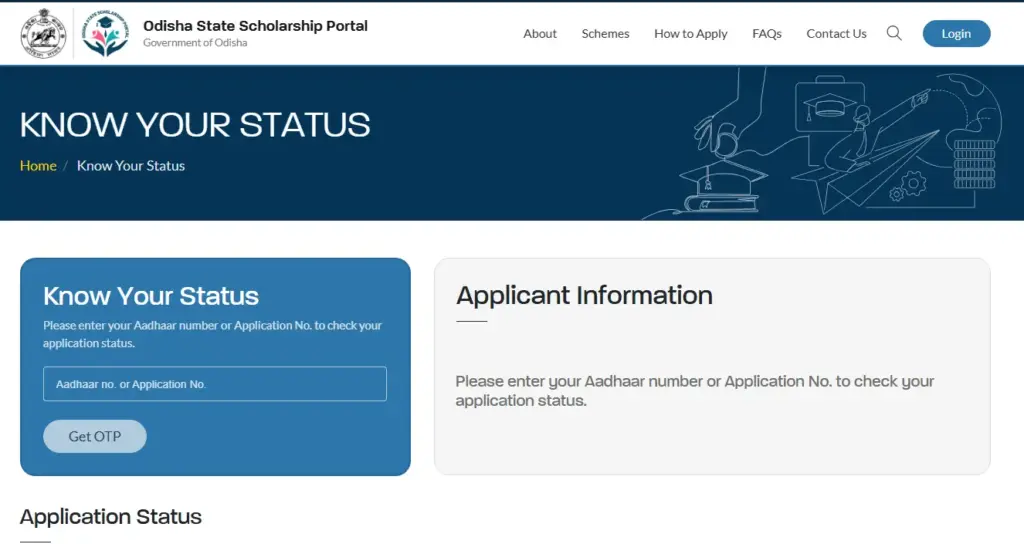
Accessing your Odisha Scholarship Portal status check requires following a specific sequence on the official portal. Go to scholarship.odisha.gov.in and locate the “Know Your Status” option at the bottom of the page.
Method 1: Check Without Login (Track by Application Number)
- Click on “Know Your Status” to open the tracking interface.
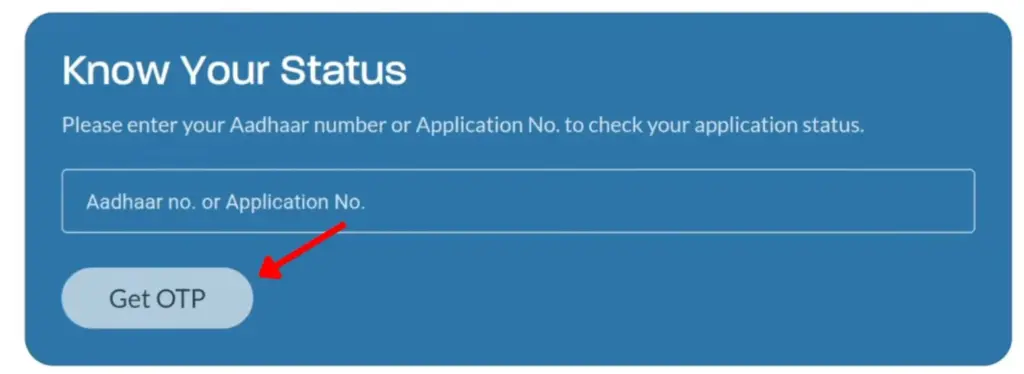
- Enter either your Aadhaar card number or Application number in the provided field.
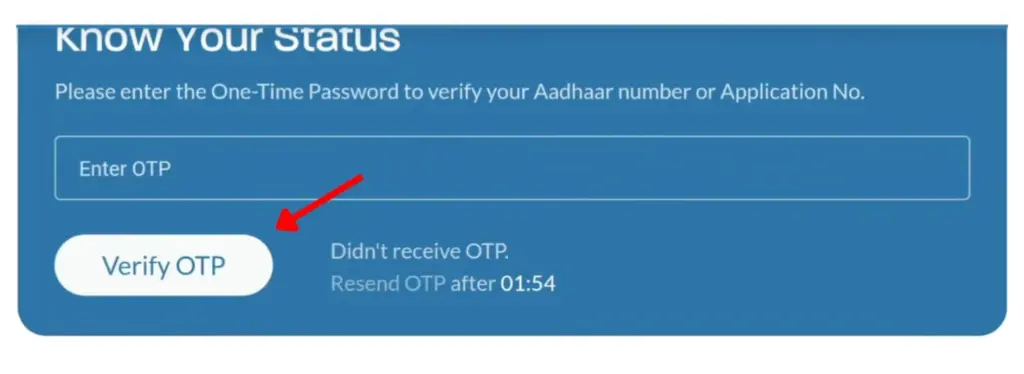
- Validate the OTP sent to your registered mobile number.
- Your student dashboard will appear on screen.
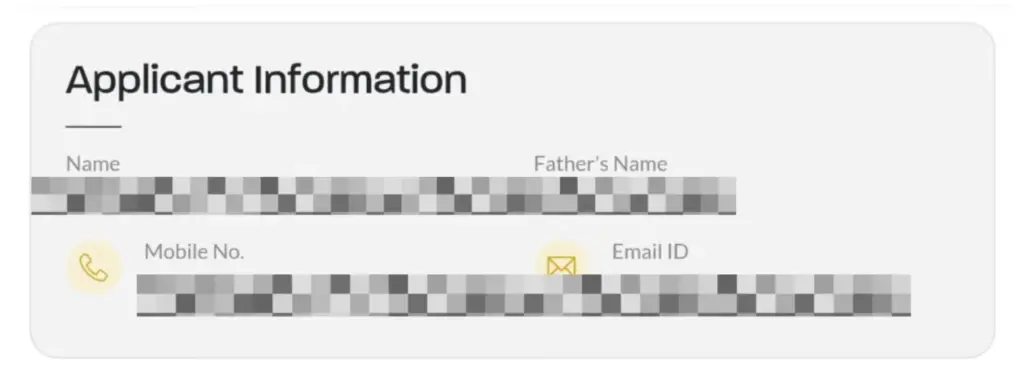
- Click the green “View Status” button to see the full, detailed status of your application.
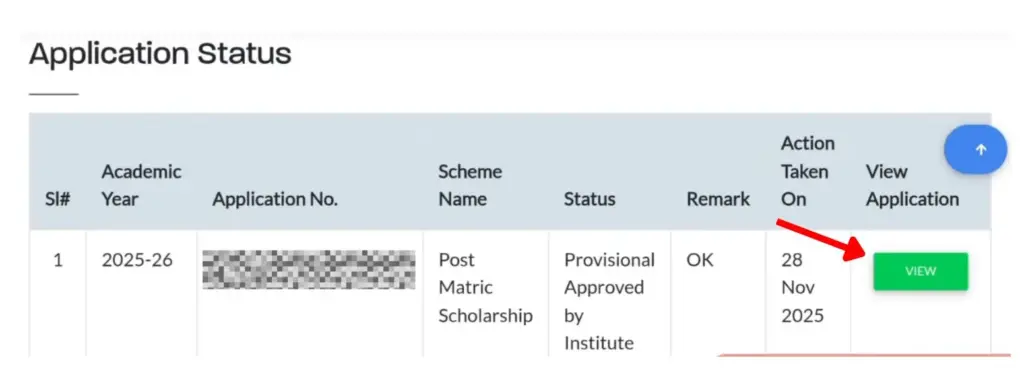
Method 2: Odisha State Scholarship Portal
- Open your browser and go to the official portal: scholarship.odisha.gov.in
- Click on “Student Login” on the homepage.
- Enter your Application ID / Registration Number and Date of Birth (or password if already set).
- Click “Login.”
- On your dashboard, click “Payment Status” or “Track Application.”
- Your current payment status will appear on screen note it down.
Tip: If your status shows as “Pending at Institute,” there is no need to worry. This is just the first step, and the process will continue automatically
Method 3: Check via PFMS Portal
- Go to the website: Visit pfms.nic.in.
- Find the link: Scroll down and click on Know Your Payment.
- Fill in your details: * Type your Bank Name (select it from the auto-dropdown).
- Enter your Account Number twice.
- Enter Captcha: Type the letters/numbers shown in the image.
- Get OTP: Click Send OTP on Registered Mobile No.
- See your status: Enter the OTP sent to your phone to instantly view your payment details!
Tip: Use PFMS if the state portal shows “Payment Sent” but money hasn’t arrived in your account. PFMS gives you the exact transfer date and reference number.
What Does Your Odisha Scholarship Status Actually Mean?
Most students panic when they see a status label they don’t understand. Let me break this down clearly:
| Status Label | What It Means | Action Required |
|---|---|---|
| Application Submitted | Your form has been received by the portal | Wait for institute verification |
| Forwarded to Institute | Your application is with your college/institution for verification | Contact college scholarship section if pending >30 days |
| Pending at DWO | Under review at the District Welfare Officer’s office | No action needed — wait for approval |
| Approved / Sanctioned | Your scholarship has been approved | Payment processing will begin soon |
| Payment Sent / Disbursed | Money has been transferred to your bank account via IFMS/DBT | Check your bank account within 2–3 working days |
| Payment Failed | Transfer attempted but failed (usually a bank/Aadhaar issue) | Correct your bank or Aadhaar details immediately |
| Rejected | Application was not approved | Check the rejection reason and re-apply if eligible |
If status remains “Forwarded to Institute” for more than 30 days, contact your college scholarship section.
Conclusion
You now have everything you need to check your Odisha Scholarship status and track your payment seamlessly. Follow the steps outlined above, and you’ll know exactly where your application stands.
As long as you keep your documents updated and your Aadhaar linked properly, your scholarship payment will arrive on time. If you notice any issues, reach out to the helpline immediately so that delays don’t pile up. Keep checking your status regularly, and your financial support is just around the corner.
FAQs – Frequently Asked Questions
Q1. How can I track my Odisha scholarship payment status online?
You can track your payment status by visiting scholarship.odisha.gov.in and clicking on “Know Your Status” at the bottom of the page. Enter either your Aadhaar number or Application ID, validate the OTP sent to your registered mobile number, and view your current status on the dashboard.
Q2. What documents do I need to check my scholarship application status?
You need either your Application ID or Aadhaar number linked to your application. Additionally, keep your login credentials (User ID and Password) ready if you want to access the student dashboard. A stable internet connection and access to your registered mobile number are also required.
Q3. What should I do if my Odisha Scholarship status shows rejected?
First, identify the rejection reason in your dashboard. Common issues include Aadhaar not linked to your bank account, name mismatches, outdated income certificates, or wrong application type selection. Fix the specific issue mentioned, ensure documents are below 400 KB in PDF format, and contact the helpline at 155335 or 1800-345-6770 for assistance.
Q4. How long does it take to receive scholarship payment after approval?
Payment typically arrives within 15 to 45 days after sanction. However, during peak processing months, the timeline may extend. Make sure your bank account is seeded with Aadhaar and all details are correct to avoid delays.
Q5. Who should I contact if my payment is pending for too long?
If your status shows “Forwarded to Institute” for more than 30 days, contact your college scholarship section directly. For technical issues, call the Sanjog Helpline at 155335 or 1800-345-6770, email scholarshiphed@gmail.com, or reach the Prerana Helpline at 0674-2391780. You can also contact your District Welfare Officer for location-specific support.
Leave a Reply